How to send a press release to media and journalists
Sending well means thinking about a few people, not many. Your press release has to reach the journalists who cover your topic, when they can read it and in a form they can use straight away.

What to have ready before you send a press release
Before the first email, the release has to be finished and checked. If you still have doubts about the text, go back over how to write a press release and the most common mistakes when writing a press release.
- The final release, with headline, lead, quote, key facts and the “About [Company]” block.
- A public address where it is published, so you can link to it.
- Images with the right to use them, as a link, not as heavy attachments.
- A contact person who answers the phone and email on those days.
- The date and time from which it can be published, if there is a press embargo.
Who to send the press release to
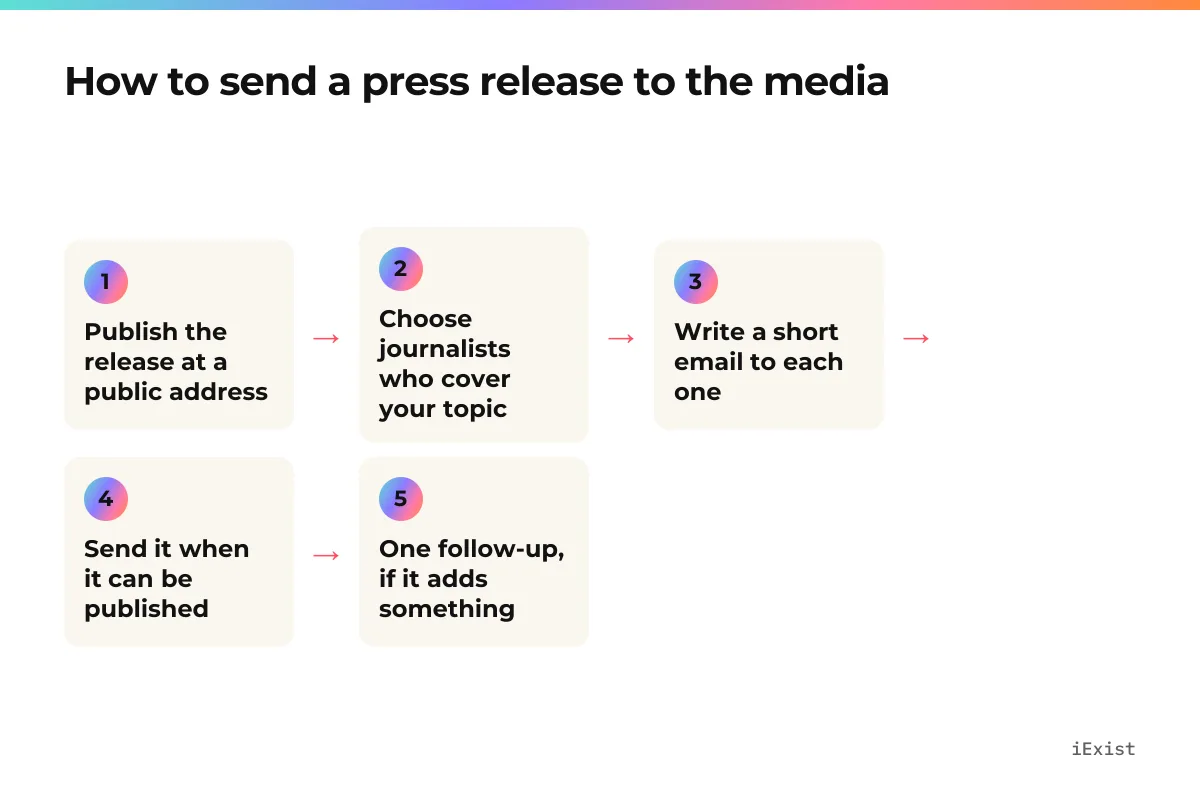
Look for journalists who have recently written about your sector, your city or a related topic. Read two or three of their pieces: that way you know whether your news fits them and can tell them why in one sentence. A short, well-chosen list works better than a huge database, and writing to people who never asked for it harms your reputation as a sender.
Types of media to send a press release to
| Recipient | What interests them | How to angle the email |
|---|---|---|
| Local media | Companies, jobs and news in their area | Highlight the place: the city, the opening, the jobs |
| Trade media or magazine | Technical and market news in their sector | Highlight what changes for professionals in the sector |
| Niche newsletter or blog | Useful stories for a specific community | Offer a fact or an image they can use as it is |
| General media | News that affects many people | Only if your news has that reach; if not, start with the others |
How to write the email to send a press release
The email is a press release in miniature. The journalist decides in seconds whether to keep reading, so the important part goes at the top.
- Subject: the headline of the release, or a shorter version of it. No capital letters and no exclamation marks.
- A greeting with the journalist's name and one sentence explaining why you are writing to them.
- The news in two sentences: what is happening, who, where and from when.
- The full text of the release pasted below, not only as an attachment.
- A link to the published release and to the images.
- A signature with name, role, phone and contact email.
If you are unsure how to summarise the news, the press release headline and the lead already do that job: reuse them.
Example email to send a press release
Subject: [Company] launches [product] in [city]

Hello [Name],

I am writing because you have covered [topic] in [outlet]. [Company] is launching [product] today, [what it is in one sentence]. It is available from [date] in [place] for [price].

I have pasted the full release below. Here is the published version and the images: [link].

If you need another fact or want to speak to [spokesperson], let me know.

[Full name]
[Role] · [Phone] · [Email]

---
[Full text of the press release]
With a fictional company: Lumen Bikes, which makes folding electric bikes in Valencia, would write to an urban mobility journalist with the subject “Lumen Bikes launches a folding e-bike that fits under your desk”, one sentence about her latest article on transport in the city, the news in two lines and the full release below.
When to send a press release to the media
Send it when the news can already be published. If you want the journalist to prepare the piece in advance, agree an embargo and make the date and time clear in the first line. How to choose the day and the time is covered in when to send a press release.
How to follow up on a press release you have sent
A single short reminder, a few days later and only if the news deserves it, is enough. Add something new if you have it (an image, a figure, the spokesperson's availability). Do not resend the same email or call to ask whether they received it.
If a journalist tells you they are not interested or asks you not to write to them, note it down and respect it. Your list gets better every time you clean it.
Publish the press release so people find it without you
Journalists also search. A release published on a public page, with a permanent address, a clear date and a visible contact, can still be found long after your email is forgotten, on Google and in AI assistants (we explain it in press releases and SEO).
Publishing on iExist is free. An editor verifies every company before it publishes and reviews its releases until it is trusted. Once published, the release appears in the magazine, in your newsroom and on the pages for its topic and country, in six languages, and reaches the journalists who have alerts for your topic. Anyone can republish it in full with a link to the original. We compare it with other options in how to distribute a press release for free.
Questions
- Should I attach the press release as a PDF?
- Better not as the only option. Paste the text into the body of the email and link to the published version: the journalist can copy it without opening files, and large attachments are sometimes blocked.
- Should I send the same email to everyone in copy?
- No. Write to each journalist separately and, if you use a sending tool, make sure each one receives an email in their name. Never show the list of recipients.
- Is it worth paying for distribution?
- It depends on what you need. For many companies, a well-written release published where journalists and search engines find it, plus a few personal emails, is enough; we look at it in how to distribute a press release for free.
- What do I do if a journalist asks for an exclusive?
- Decide before sending it to anyone else and keep to what you agree. If you give the exclusive, wait until it is published before sending the release to the rest.
Part of: What is a press release: definition, parts and purpose